grommunio Web 5.0: the web client, grown up
grommunio Web 5.0 is the largest release in the history of our web client. Some features in development for over a year and more than 460 changes since 3.19 went into it, and they touch everything from the first pixel you see at sign-in to the bill of materials we ship with every package. It is also the release in which grommunio Web finally sheds the last traces of its origins: the code base, the plugin interfaces and the settings now carry the grommunio name throughout. That is why this release jumps to a new major number.
Here is what 5.0 brings, for the people who use it every day, for the administrators who run it, and for the developers who build on it.
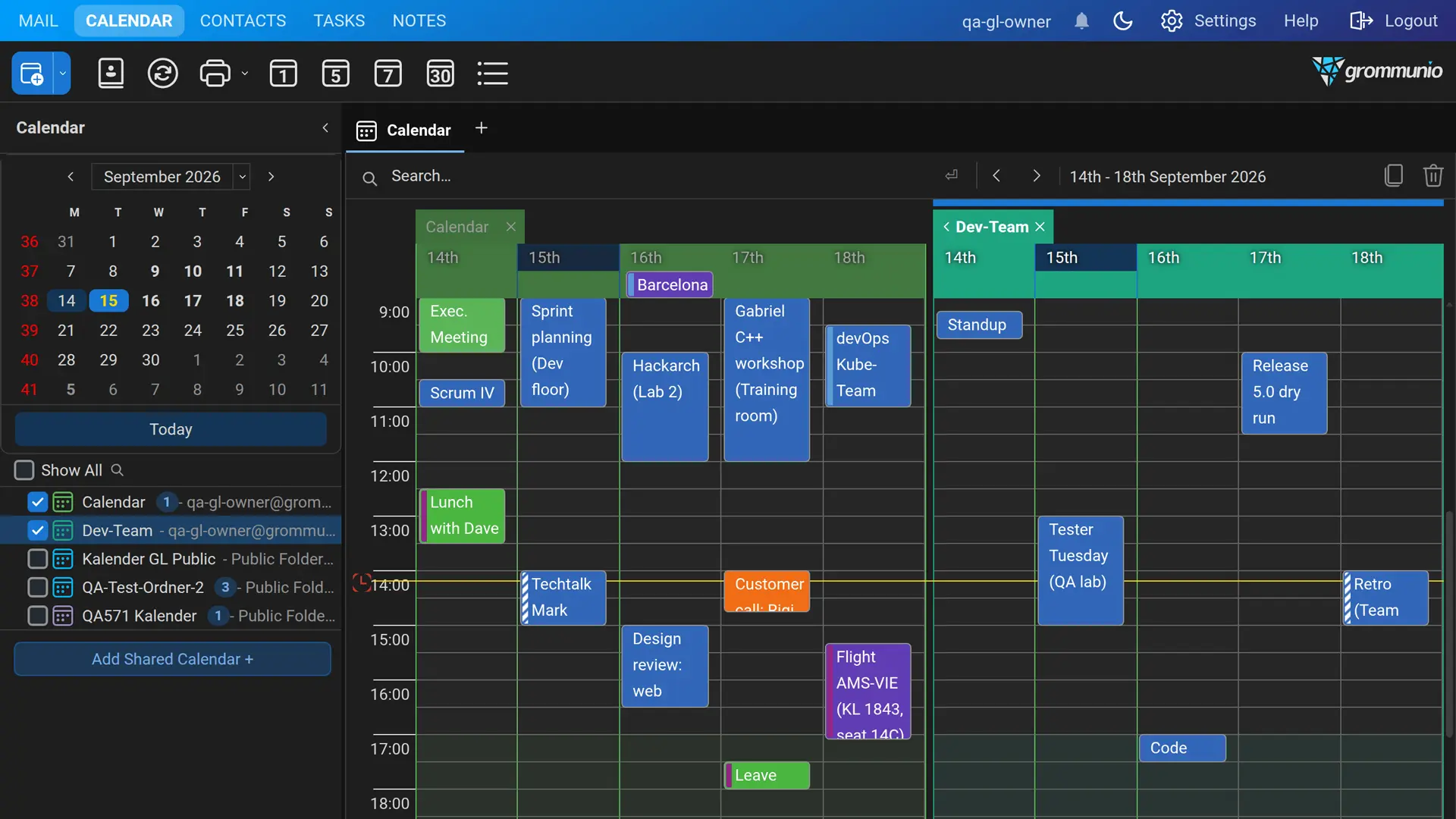
Details follow the same care. Two-tone folder icons pick up the theme colour, a highlighted folder spans the whole row, long folder names are shortened with an ellipsis instead of pushing a scrollbar into the tree, and the keyboard focus is visible wherever you move it.
Keyboard first:
command palette and undo
Press Ctrl+K and start typing. The new command palette jumps to any folder, view or settings page and creates new items without a trip through the menus. Ctrl+F goes straight to the search box of the current view, macOS users get Cmd and Option where they expect them, and the shortcuts are listed in their own settings page.
Deleted, moved or flagged the wrong mail? grommunio Web now has Undo and Redo like a desktop client. Ctrl+Z takes the last action back, Ctrl+Y reapplies it, and it covers delete, move, copy, flag, read state and category changes as well as appointments moved in the calendar. Switch it on under Settings › General.
OpenPGP joins S/MIME
Mail can now be signed, encrypted, decrypted and verified with OpenPGP, right next to the S/MIME support grommunio Web has had for years. Everything cryptographic happens in the browser. Keys are generated and unlocked on the user’s device, private keys stay in the user’s own mailbox protected by their passphrase, and decrypted content never leaves the browser. Users pin the fingerprints of their contacts, export encrypted key backups and look up public keys on the keyservers the administrator allows.
Sign and Encrypt are now one pair of buttons shared by both protocols, and autosave pauses while a message is being encrypted, so no plaintext draft is ever written to the server.
Open anything
The document preview has become a real viewer. Attachments and files in a connected Files account open directly in the browser: PDF, Word including the classic .doc format, Excel from .xls to CSV, PowerPoint, OpenDocument, RTF, Markdown, JSON, source code, images, audio and video, and attached .eml messages, complete with their own attachments and inline pictures. Spreadsheets keep their column widths and merged cells, previews open about a third faster than before, and the viewer follows the theme including dark mode. Previews can open in a dialog, in a grommunio Web tab or in their own browser window, as you prefer.
Attachments that move with you
Select several attachments with Ctrl- or Shift-click and drag them into a message you are composing in another grommunio Web tab or window, or drop them on your desktop, where they arrive as one ZIP archive. Save selection to folder writes them as individual files into a folder of your choice. Files can be dropped anywhere on a compose dialog to attach them, and pictures pasted from Microsoft Word finally arrive instead of vanishing on the way.
Attachments can also be removed from messages that are already in the mailbox. The message itself, with its text, sender and date, stays exactly as it was, and administrators can turn the feature off where received mail must remain untouched.
Works the way Outlook works
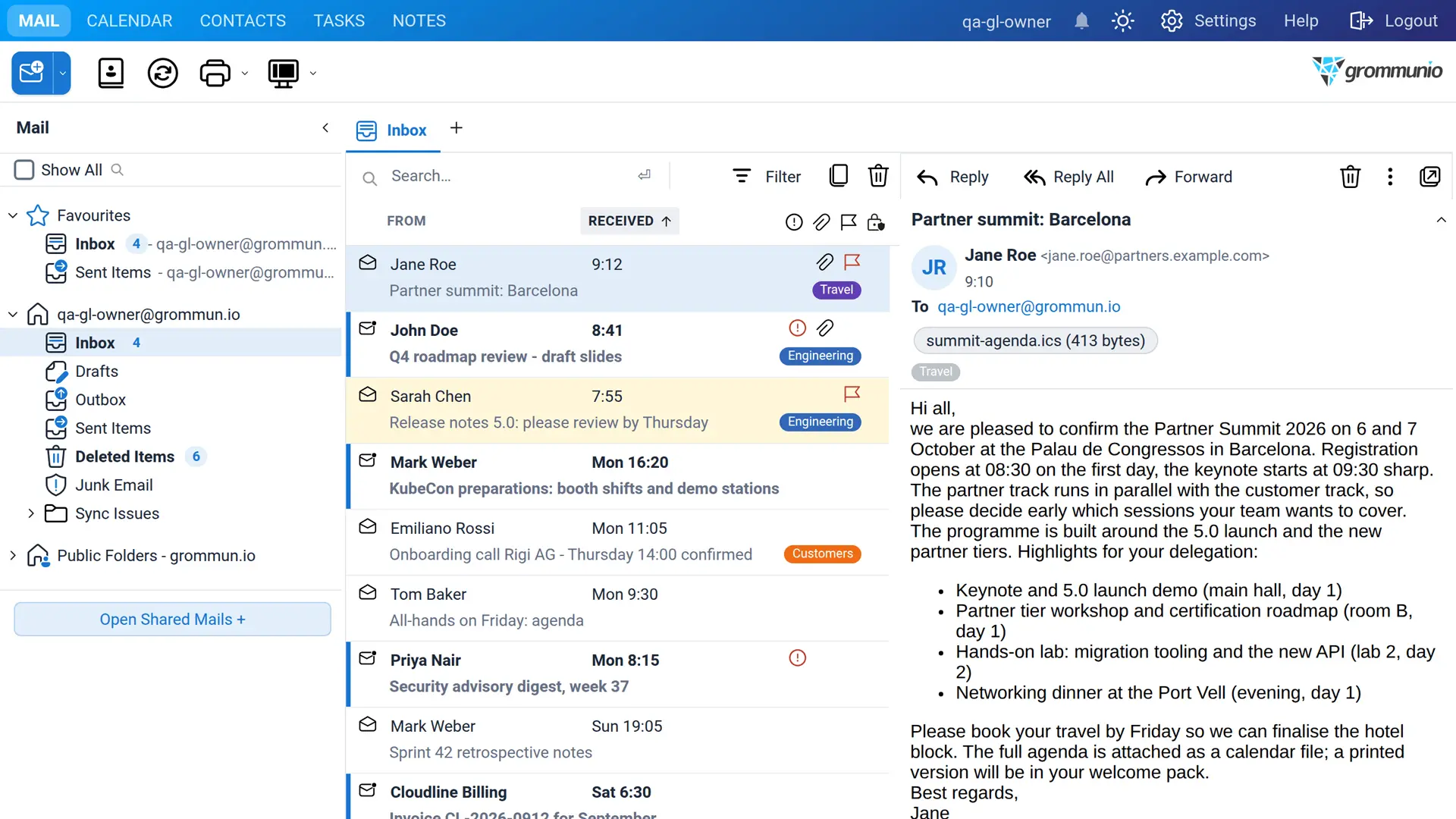
Colour categories are now stored the way Outlook stores them, in the mailbox’s master category list. The same names and colours appear in grommunio Web, in Outlook and on mobile devices, everyone in a shared mailbox sees that mailbox’s categories, and existing categories are carried over automatically. Safe senders, safe recipients and blocked senders live in the same Junk Email Rule Outlook uses, and the reading pane follows them when it decides whether to load external pictures.
Messages from brands that publish a BIMI logo and pass DMARC now show that logo next to the sender, which makes legitimate mail from known companies recognisable at a glance. And a sticky note can be attached to any mail from the context menu or the reading pane. It shows up whenever the mail is opened, and colleagues sharing the mailbox see it too.
Shared mailboxes, search and notifications
Conversation view now works in shared mailboxes as well, including mailboxes whose Sent Items folder is not shared. Shared mailboxes can be dragged into the order you work in, and every folder list follows it. Favorites can appear in every folder list. Search covers public folders including their subfolders, and search prefixes can be typed in the language of the interface: German users write von:, an: and betreff:.
Notifications only interrupt where you want them: limit them to your own mailbox or to a list of folders you pick. The notification names the sender and subject of a new message instead of quoting the unread count, and the sound can be switched off. The Copy/Move dialog remembers where mail from a sender was filed before and offers those folders as buttons above the tree, and typing a folder name jumps to it.
Faster
Requests from one login now run side by side rather than one after the other, so a slow folder load in one tab no longer freezes the others. Start-up is quicker: scripts, styles and translations are cached by the browser and only refetched when they change, and the deploy tree ships pre-compressed for brotli and gzip. Calendar views load faster, folder creation no longer opens every sibling folder, and the Files folder tree went from over three seconds to under a tenth of a second for forty folders.
Security and the Cyber Resilience Act
Since 11 September 2026 the reporting obligations of the EU Cyber Resilience Act apply to software sold in the European Union, and 5.0 is built to meet them. Every release now ships a machine-readable software bill of materials in both CycloneDX and SPDX format, listing all 421 runtime and build-time components with version, licence and origin, and the build refuses to pass when the bill of materials no longer matches the sources. Every source file carries an SPDX copyright and licence header, the repository is REUSE-compliant, and a published security policy describes how to report a vulnerability, how we handle it, and how we report actively exploited vulnerabilities to ENISA within the 24-hour, 72-hour and 14-day windows the regulation sets.
The release also closes a long list of hardening items: authentication, token and logout requests are checked against cross-site requests, Keycloak logins use one-time state and a validated callback, attachment downloads are served with strict browser protections, a mailbox may only submit a bounded number of messages per minute, and the S/MIME plugin fetches certificates, OCSP and CRL data only from public addresses with size and freshness limits. Expired sessions are now cleaned up by a shipped systemd timer on every distribution.
For administrators
Plugins that are disabled for a user in the grommunio Admin API are no longer loaded at all, and optional plugins deliver their code only to users who switched them on, which makes for a lighter client. JSON themes colour the whole interface. New configuration options cover the OpenPGP plugin, BIMI, the submit rate limit, the session lifetime, S/MIME revocation checking and the Files cache. The full list is in the changelog, and the security policy names the options a secure installation depends on.
Stored user settings move to the new grommunio/v1 tree automatically on the first login, and persisted layouts, grid states and window sizes survive the change unchanged.
For plugin developers
This is the release that renames the Zarafa namespace to Grommunio, the zarafa. xtypes and ptypes to grommunio., the zarafa- CSS classes to grommunio- and the settings root from zarafa/v1 to grommunio/v1. A plugin written against the old names is converted by a single mechanical replacement, and doc/plugin-namespace-migration.rst in the repository lists the few identifiers that deliberately keep their name, such as the php_mapi functions and the ZARAFA address type.
To give the ecosystem time, 5.0 keeps deprecated aliases: window.Zarafa resolves to Grommunio and logs a warning once, unregistered zarafa. xtypes fall through to their grommunio. counterparts, old settings paths are redirected, and the PHP exception classes keep their old names. CSS classes are the one exception: a plugin style sheet that selects on zarafa-* classes has to be renamed. The aliases go away with the next major release, so a plugin that still triggers the console warning has a reference left to fix. New in the plugin API are the shared Sign and Encrypt buttons that protection plugins plug into, a server hook to claim a protected message before S/MIME parsing, and the
Getting grommunio Web 5.0
grommunio Web 5.0 is now available through the grommunio community package repositories. For supported release, grommunio Web is targeted a week from today. The complete changelog lists every change since 3.19, the bill of materials sits next to it at the repository root.
Sign up for a demo account(opens in a new tab) to evaluate grommunio.
See GitHub-Repository for all changes.